








Colors
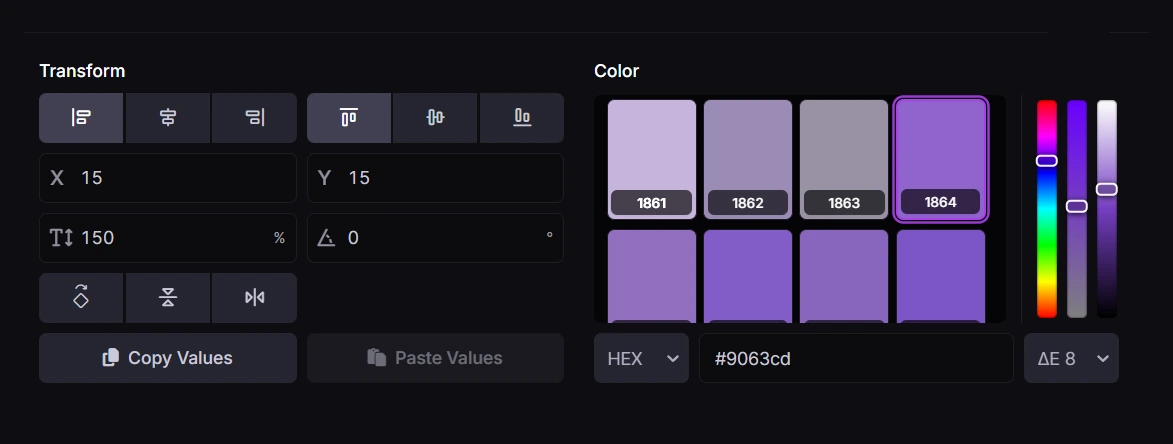
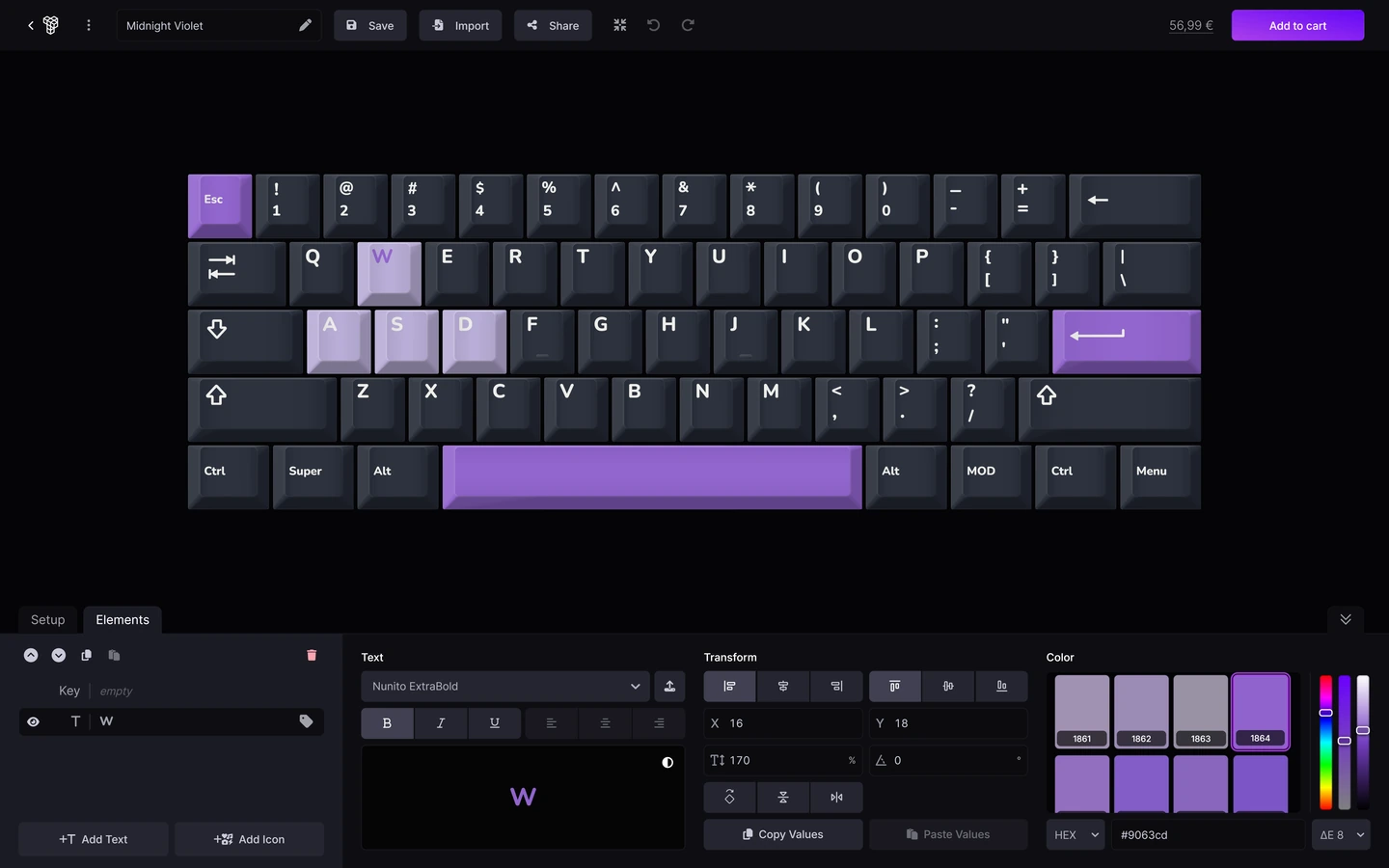
Set keycap and legend colors independently, save reusable palettes, and preview every part of your design directly on the keyboard.
4.8/5
Thousands of custom sets delivered to keyboard enthusiasts worldwide
Liked by thousandsand featured on
Set keycap and legend colors independently, save reusable palettes, and preview every part of your design directly on the keyboard.
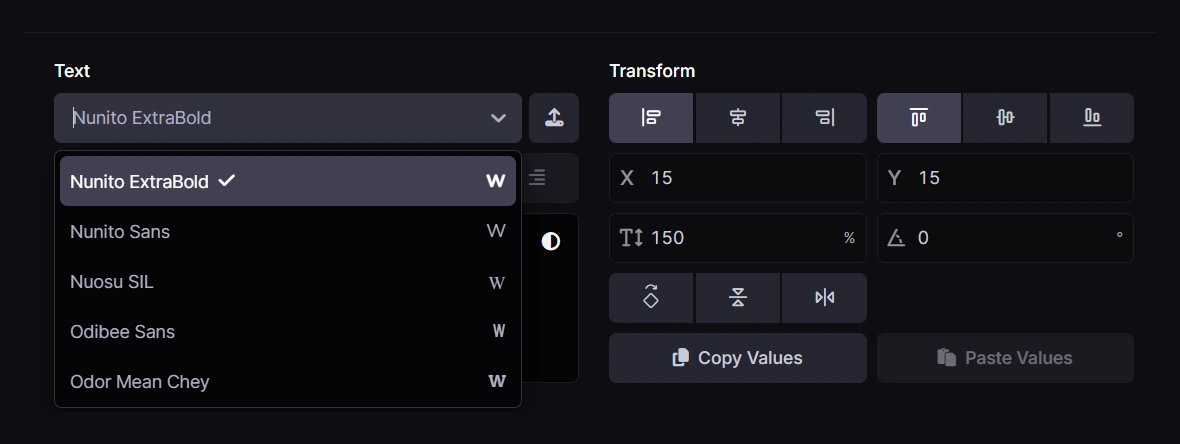
Choose from over 1,500 ready-to-use font families or upload your own. You can also drag font files directly into the configurator while editing text.
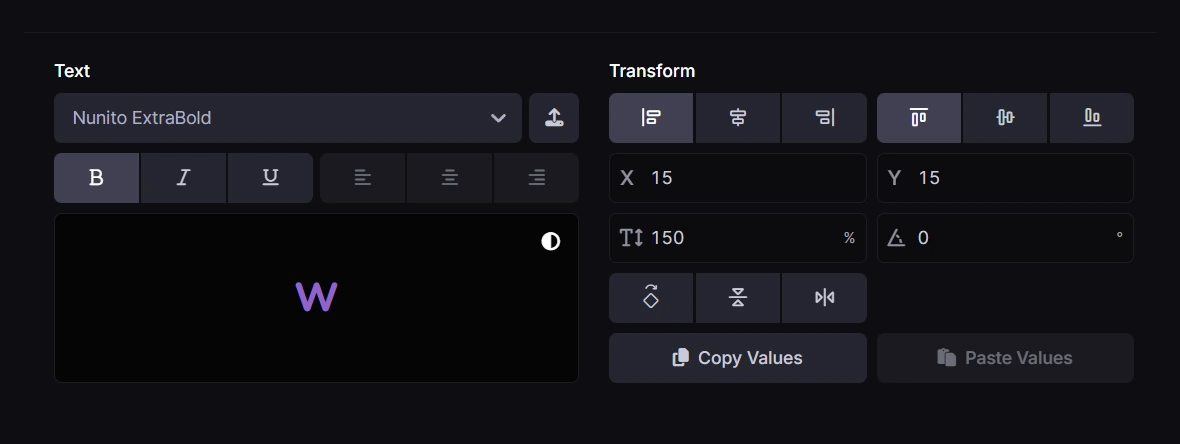
Position, scale, rotate, mirror, layer, label, recolor, or hide individual text, icon, and image elements across one or multiple keys.
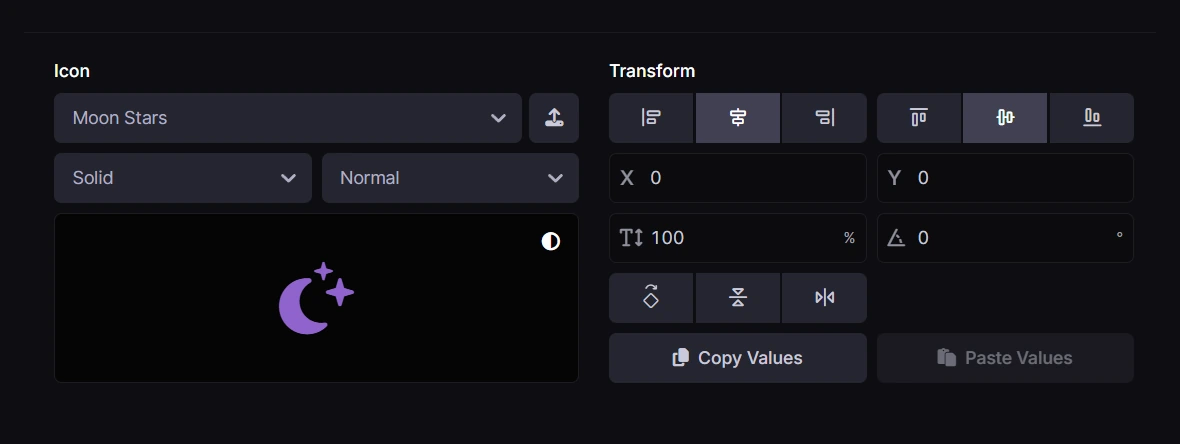
Use the extensive Font Awesome® icon library or upload and drag in your own images. Uploaded SVG artwork can be recolored inside the configurator.
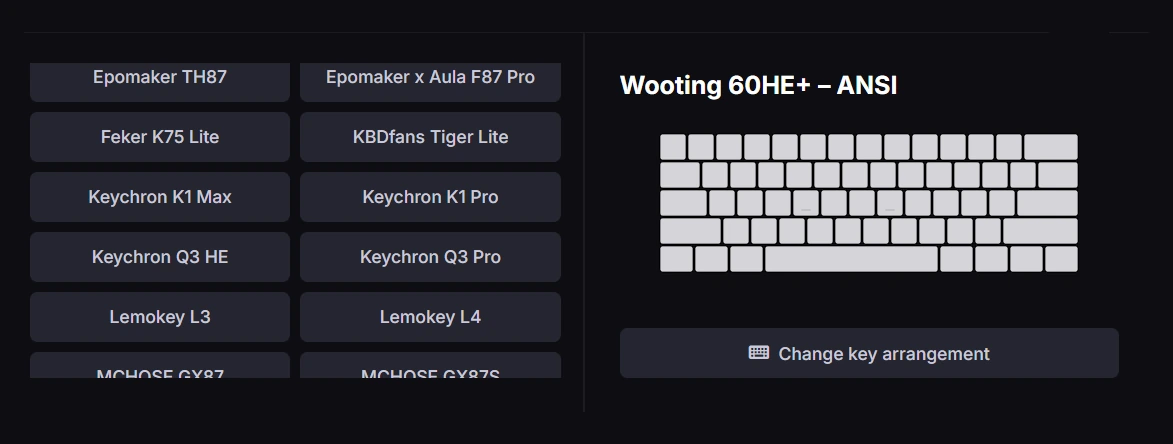
Choose from hundreds of keyboard-specific layouts with ANSI, ISO, and selected JIS or mixed variants. If your keyboard is not listed, build it with the Custom Layout Editor.
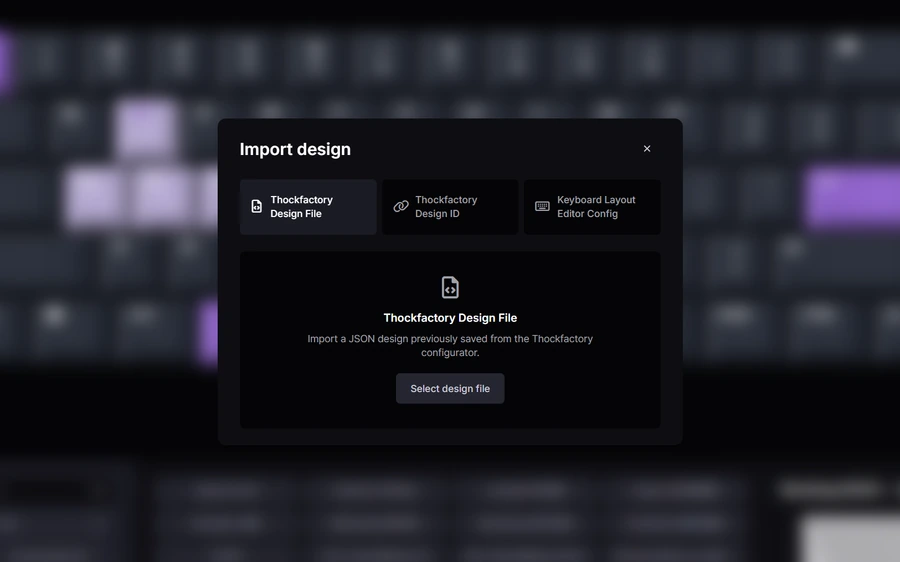
Your work is saved automatically. Export or import design files, create permanent sharing links, or generate branded images for sharing your keycaps online.

The keys are bit translucent, not much, which I did not expect but I'm happy with this. If they were a bit more translucent it would have been even better.
Ovidiu
July 14, 2026

The Keycaps look very nice. I asked about some Keycaps for another Line at my Keyboard and got instant help, with a custom Configuration. If I ever need new Keycaps I will buy them here
Lokverführer
April 2, 2026

Without a doubt, this is one of the most professional, customer-centered companies that I have ever dealt with. Their UI and keyboard creator is fantastic, allowing for maximal customisation and creativity on their website's very smooth online configurator. The quality of the keycaps is also very high. In terms of customer care, Emil's (ThockFactory founder) consideration, patience, and generosity when communicating with me from the beginning about my different orders was nothing short of stellar. Emil accommodated for my various customisation requests, informed me of my options at every step, and offered a full refund on one of my orders that had the quality control issue (due to uncontrollable natural differences in the manufacturing process between keycap batches). Genuinely the most impressive customer experience I have ever had when shopping online. I fully recommend anyone looking to buy custom keycaps to buy from ThockFactory - I know that I will only be sourcing my keycaps exclusively from here well into the future.
Dimitri G.
March 29, 2026
Very cool company with excellent support. The self designed keycaps are high quality and the printing is razor-sharp. Absolute recommendation.
bst
March 24, 2026

pretty darn accurate!!
chips
March 18, 2026
Amazing company! You know it is when the founder himself doing the customer service! Great product! highly underrated service
Customer
March 4, 2026
4.8/5
100+ reviews with thousands of sets delivered around the world!
Create made-to-order PBT keycaps with your own colors, text, icons and artwork. Start with a supported keyboard layout or build a custom layout, then preview the design before adding it to your cart. Your order includes keycaps only, without a keyboard or switches.
PBT stands for polybutylene terephthalate, the plastic used for our custom keycaps. It is valued for its durability and resistance to the polished, shiny surface that can develop with use. Like any keycap material, it can still show wear over time.
Neither material is best for every keyboard. PBT is generally more resistant to surface shine, while ABS offers different finishes and printing options. Sound and feel also depend on keycap thickness, profile and the rest of your keyboard. Our custom keycaps use PBT.
Dye-sublimation uses heat to transfer dye into the keycap material. It lets us print your selected colors, legends and images onto PBT keycaps. Very fine details and screen colors may look different in print, so use clear artwork and check the preview carefully.
Choose a keyboard layout and the correct variant, or create a custom layout. Select keys to change their colors and add text, icons or images. You can adjust alignment, size, position, rotation and layers, then review the complete design and price before adding it to your cart. Compare the layout preview with your actual keyboard before ordering.
Yes. Choose from the icon library or upload PNG, JPG, SVG, WebP, GIF, AVIF or BMP artwork. SVG artwork can also be recolored in the editor. Use images you have permission to reproduce, and check that fine details remain readable at keycap size. Uploading artwork does not publish it; creating a sharing link or submitting a showcase entry is a separate action.
Yes. Select the keys you want to cover and use the keycap image editor to apply artwork across them. Adjust the image's position, size and rotation in the preview. The gaps and shapes of the individual keycaps remain part of the final design, so check the result across the whole selection.
Full five-side images cover the top and all four vertical sides of a keycap. The manufacturing process for these prints can cause minor warping on the vertical sides. If your design uses full five-side images, checkout asks you to acknowledge this before placing your order.
Yes. Choose a built-in font or upload a TTF, OTF, WOFF or WOFF2 file, up to 2 MiB per font. Make sure your font license permits the intended use and that the font contains every character in your legends. Used uploaded fonts are included when you export or sync your design.
Choose keycap and legend colors from our print-color palette. Search by HEX, RGB, HSL or TF-ID, such as 0095 or 1948. An entered color is matched to an available palette color; imported editable keycap and legend colors are matched too. Uploaded image artwork retains its own colors. The screen preview is an approximation. Your display, the PBT material and the printing process can affect the final appearance, so an exact screen-to-print match is not guaranteed.
Yes. Search for your keyboard in the configurator or browse the custom keycaps. Available variants can include ANSI, ISO and selected JIS or mixed layouts. Check key sizes, the bottom row and the Enter and Shift keys against your keyboard. The layout name alone does not guarantee a match. If no suitable layout is listed, use the Custom Layout Editor.
No. Our custom keycaps are made for Cherry MX-style cross stems. They are not a universal replacement for laptop, membrane or low-profile keycaps. Check your switch stem, key sizes and stabilizer arrangement, even if your keyboard has removable keycaps. Contact us before ordering if you are unsure.
Our custom keycaps currently use Cherry profile. It is a sculpted profile, so the shape differs between rows. The configurator's keycap information shows the row profiles and sizes; in a custom layout, check these settings as well as the key arrangement. Other profiles should not be assumed to be available.
Yes, in the Custom Layout Editor. Add or remove keys and rows, choose supported key sizes and shapes, and adjust spacing and row profiles. Keyboard presets keep their predefined arrangement; create a custom layout when you need a different combination. Check the preview and keycap information before ordering.
Yes. Use the Custom Layout Editor to build a layout containing only the keys you need. Choose their supported sizes and row profiles, then customize them as usual. A minimum custom-layout price applies, so the price is not simply a fixed amount per key.
A crossed square or missing-character box means the selected font does not contain that character. Choose a font that supports the language or symbol you need, and inspect every legend before ordering. The configurator does not silently substitute another text font to make unsupported characters look valid.
Your current design is saved in this browser on this device. Clearing site data, using a private browsing session or moving to another browser can remove or separate that copy. Export a design file for a backup, or sign in and enable account sync to keep your current design on your account as well.
Yes. Sign in to the same account and use design sync. If the device and account have different designs, choose Load saved design to use the account copy, Save this design to account to use the current device copy, or Continue without syncing to keep working only on this device. Loading the account copy first saves a local recovery copy of the device design. Sync keeps one current account design, not a history of every edit. Wait for the saved status before closing the page or switching devices.
Yes. Export your design as a Thockfactory JSON file and import it later, including its uploaded artwork and used fonts. You can also import a shared design ID or a Keyboard Layout Editor (KLE) JSON configuration. A KLE import creates the key arrangement, not a complete Thockfactory artwork design. Supported design files must be 50 MiB or smaller; always review the layout and colors after importing.
Yes. The Share action creates a public design link and a preview image without placing an order. Anyone who can access the link can view and load that shared design, including its artwork, so do not share private or confidential content. Account design sync is separate and does not create a public sharing link.
An unchanged preset set uses the price of the selected product variant. Edited designs and custom layouts are priced from the included key sizes, with a minimum price. The current price is shown in the configurator and confirmed in the cart; it can differ by region or currency. Check the checkout total for shipping, applicable taxes and any discounts before paying.
No. Your order includes the custom keycaps for the selected layout only. Keyboards, switches and other accessories are not included unless a separate product explicitly says otherwise. The product's layout options and keycap inventory show which keys are included.
The payment methods available for your country and order are shown at checkout. These can include cards and supported local or wallet payment methods. Availability depends on the delivery region, currency and payment provider, so use the checkout options as the current list.
We ship internationally to the destinations supported at checkout. Enter your delivery country and address to see the available shipping methods and cost. Not every destination or address can be served. If your country is missing or no shipping method is available, contact us before ordering.
Custom keycaps are made to order. Allow around 5–15 business days for production and quality control before dispatch. Shipping usually takes 7–15 days after dispatch. These are estimates. Public holidays, high demand and customs processing can extend the total time.
Contact us as soon as possible with your order number and the requested change. We will check whether it is still possible; changes cannot be guaranteed once production has begun. Editing your saved or synced design after checkout does not update an existing order. Review the layout, legends, artwork and delivery address before paying.
Our custom keycaps are manufactured and dispatched by our production partner in Shandong, China. The shipping method and destination determine their onward route. Tracking information is provided after dispatch.
Import charges can depend on your destination, order value and the applicable shipping arrangement. Taxes charged by us appear in the checkout total. Customs authorities or the carrier may collect additional duties, import taxes or handling fees that are not included there. Check the checkout information and your destination's import rules; contact us before ordering if you need clarification.
After dispatch, use the tracking information in your shipment email. Signed-in customers can also check their order details in the account area when tracking is available. A new tracking number may take time to show its first carrier scan. If tracking does not progress or you cannot find the shipment email, contact us with your order number.
An order can still be in production even if it has no tracking number yet. Check the production estimate, your account's order details and your email's spam folder. If the estimate has passed, the order is missing from your account or you need an update, contact us with your order number and the email address used at checkout.
Custom keycaps are manufactured to your individual design, so the cancellation policy treats them differently from ready-made products. Check that policy for the applicable withdrawal conditions before ordering. If an item arrives damaged, defective or different from what you ordered, contact us with your order number and clear photos. Personalized production does not remove your rights concerning defective goods.
Use a suitable keycap puller and remove the old keycaps gently. Align each replacement with its switch stem and, for larger keys, its stabilizers, then press it into place without forcing it. Follow your keyboard's instructions and match each key's size and row profile. If a key will not fit or move freely, stop and check compatibility.
Our custom PBT keycaps are not shine-through: light does not pass through the printed legends. They can be used on a compatible keyboard with RGB lighting, but lighting will mainly remain visible around the keys rather than through the text or artwork.
Remove the keycaps before washing them with lukewarm water and mild soap. Rinse them and let them dry completely before reinstalling. Avoid hot water, abrasive cleaners, harsh solvents and scrubbing that could damage the finish. Use a soft brush to remove dust; do not wash the keyboard or switches along with the keycaps.
Made in 5–15 business days, then shipped worldwide with tracking.